Fortifying Integrity. Protecting Assets. Ensuring Absolute Compliance.
1. Purpose
To establish a robust, compliant, and proactive framework for Security and Access Control that safeguards personnel, facilities, materials, documents, data, and systems from unauthorized access, theft, tampering, and misuse — while ensuring seamless operational continuity and regulatory compliance.
2. Scope
This SOP applies to:
- All employees, contract staff, consultants, and visitors
- All physical premises (manufacturing, warehouse, QC, QA, offices, utilities)
- All digital systems (servers, databases, ERP, LIMS, EBR, document management systems)
- All confidential information, records, and regulated materials
3. Objective
- Protect company assets and sensitive information
- Prevent unauthorized entry or system access
- Maintain regulatory compliance (GMP, Data Integrity, IT Security standards)
- Ensure accountability and traceability of access
4. Definitions
- Access Control – Controlled authorization to enter physical areas or access digital systems.
- Authorized Personnel – Individuals approved based on role and responsibility.
- Restricted Area – Areas requiring controlled or limited access (e.g., server rooms, QC labs, warehouse).
- Role-Based Access Control (RBAC) – System access granted based on job function.
5. Roles & Responsibilities
🔹 Management
- Approve security policies and resource allocation
- Ensure compliance with regulatory and legal requirements
🔹 Security Department
- Monitor facility access and surveillance systems
- Maintain visitor logs and entry records
- Conduct regular security audits
🔹 IT Department
- Manage system access, passwords, firewalls, and cybersecurity controls
- Conduct periodic user access reviews
- Immediately disable access for terminated employees
🔹 Department Heads
- Approve access requests based on job necessity
- Review and justify system access periodically
🔹 Employees
- Protect ID badges and login credentials
- Report suspicious activity immediately
- Follow all access control protocols
6. Procedure
A. Physical Security Control
1. Entry & Exit Control
- All personnel must display valid ID badges at all times.
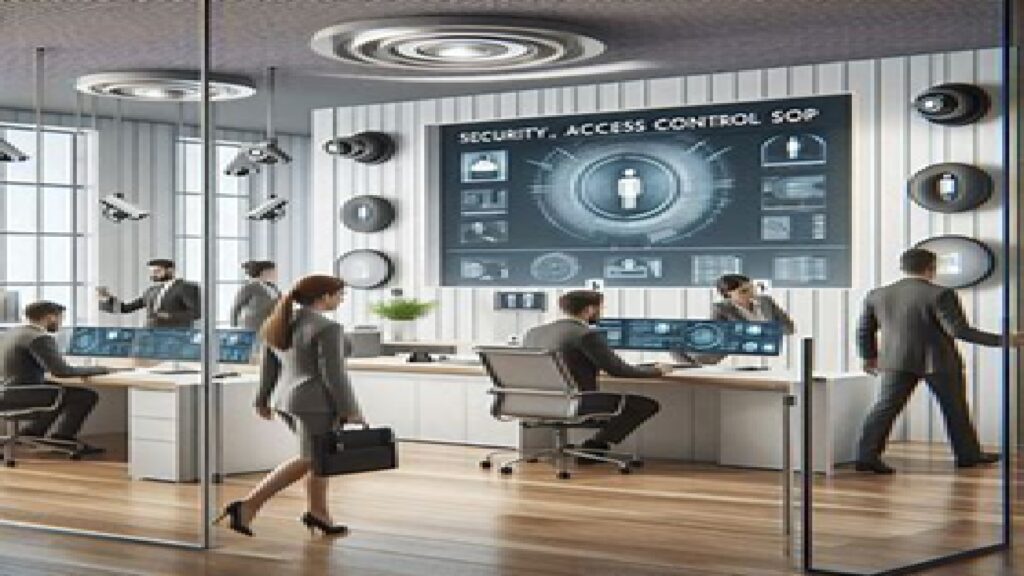
- Biometric or card-based access systems shall be used for restricted areas.
- Security personnel verify visitor identity before granting entry.
2. Visitor Management
- Visitors must:
- Sign the visitor register
- Present valid identification
- Wear visitor badges
- Be accompanied at all times in restricted areas
- Visitor access is time-bound and area-specific.
3. Restricted Area Control
Access permitted only to authorized personnel for:
- Manufacturing zones
- QC/QA laboratories
- Warehouses
- Server rooms
- Document archives
Access logs shall be maintained and periodically reviewed.
4. Surveillance & Monitoring
- CCTV cameras installed in critical areas
- Footage retained as per record retention policy
- Periodic review for suspicious activity
B. Digital / System Access Control
1. User Account Management
- Unique User ID for every individual
- No shared login credentials permitted
- Access granted based on approved access request form
2. Password Policy
- Strong password requirements (minimum length, complexity)
- Mandatory periodic password change
- Automatic lock after failed login attempts
3. Role-Based Access Control (RBAC)
- Access strictly aligned with job responsibilities
- Least privilege principle applied
- Segregation of duties maintained
4. Access Approval Process
- Access request initiated by Department Head
- Reviewed by IT and QA (if GMP-impacting system)
- Documented approval before activation
5. Access Review
- Quarterly review of all active users
- Immediate revocation for:
- Employee resignation/termination
- Role transfer
- Extended absence
6. Data Protection
- Antivirus and firewall protection enabled
- Regular system backups
- Encryption for sensitive data
- Audit trails enabled for GMP-critical systems
C. Incident Handling & Breach Management
- All security breaches must be reported immediately.
- Incident investigation initiated within 24 hours.
- Root cause analysis performed.
- Corrective and Preventive Actions (CAPA) implemented.
- Documentation maintained for regulatory review.
D. Training
- Mandatory security awareness training for all employees
- Annual refresher programs
- Special training for IT and security personnel
E. Documentation & Records
The following records shall be maintained:
- Access request forms
- Access approval records
- Visitor logs
- CCTV monitoring logs
- User access review reports
- Incident investigation reports
Records retained as per Document Retention Policy.
7. Compliance & Audit
- Internal audits conducted periodically
- Findings addressed through CAPA
- Non-compliance may result in disciplinary action
8. Key Principles
✔ Need-to-know basis
✔ Least privilege access
✔ Traceability and accountability
✔ Data Integrity and confidentiality
✔ Continuous monitoring and improvement
🌟 Conclusion
A strong Security and Access Control System is not just a policy — it is a commitment to operational excellence, regulatory integrity, and organizational trust. By implementing structured controls across physical and digital environments, the organization ensures protection of its people, products, and reputation.
❓ Frequently Asked Questions (FAQ)
1️⃣ What is the purpose of the Security and Access Control SOP?
The purpose of this SOP is to establish a structured and compliant system that protects facilities, systems, materials, documents, and sensitive data from unauthorized access, theft, tampering, or misuse while ensuring operational continuity and regulatory compliance.
2️⃣ Who is required to follow this SOP?
This SOP applies to:
- All permanent and temporary employees
- Contract staff and consultants
- Visitors and vendors
- IT and security personnel
- Management and department heads
Compliance is mandatory for everyone accessing company premises or systems.
3️⃣ What is meant by “Role-Based Access Control (RBAC)”?
Role-Based Access Control (RBAC) means that access to systems or restricted areas is granted strictly based on job responsibilities. Employees receive only the minimum access necessary to perform their duties (least privilege principle).
4️⃣ How is access to restricted areas controlled?
Restricted areas such as manufacturing zones, QC labs, warehouses, and server rooms are controlled through:
- ID badge systems
- Biometric authentication
- Access cards
- Security personnel verification
- Electronic access logs
Entry is limited to authorized personnel only.
5️⃣ What is the procedure for granting system access?
System access is granted through:
- Submission of an access request by the Department Head
- Review and approval by IT (and QA for GMP-critical systems)
- Documentation of approval
- Creation of a unique User ID
No access is provided without proper authorization.
6️⃣ Are shared login credentials allowed?
No. Shared login credentials are strictly prohibited. Each user must have a unique User ID to ensure traceability, accountability, and compliance with data integrity principles.
7️⃣ How often is user access reviewed?
User access is reviewed periodically (typically quarterly) to:
- Remove inactive users
- Modify access after role changes
- Ensure alignment with current job responsibilities
Immediate revocation occurs upon employee termination or resignation.
8️⃣ What is the visitor access procedure?
Visitors must:
- Present valid identification
- Sign the visitor log
- Wear a visitor badge
- Be accompanied in restricted areas
- Access only approved areas
Visitor access is temporary and monitored.
9️⃣ What should be done in case of a security breach?
In the event of a security breach:
- Report immediately to Security or IT
- Initiate investigation within 24 hours
- Perform Root Cause Analysis (RCA)
- Implement Corrective and Preventive Actions (CAPA)
- Document the incident for regulatory compliance
Prompt reporting helps prevent escalation.
🔟 Why is periodic security training important?
Security awareness training:
- Reduces risk of human error
- Prevents data breaches and cyber threats
- Strengthens compliance culture
- Enhances overall organizational security posture
Training is mandatory and conducted at induction and annually.
1️⃣1️⃣ What records are maintained under this SOP?
Key records include:
- Access request and approval forms
- Visitor logs
- CCTV monitoring logs
- User access review reports
- Incident investigation reports
All records are retained as per the Document Retention Policy.
1️⃣2️⃣ What happens if someone violates access control policies?
Non-compliance may result in:
- Disciplinary action
- Suspension of access privileges
- Formal investigation
- Regulatory consequences (if applicable)
Security compliance is a shared responsibility and critical to protecting the organization.
For more articles, Kindly Click here
For pharmaceutical jobs, follow us on LinkedIn
For Editable SOPs in Word format contact us on info@pharmaceuticalcarrier.com
For more information kindly follow us on www.pharmaguidelines.co.uk